
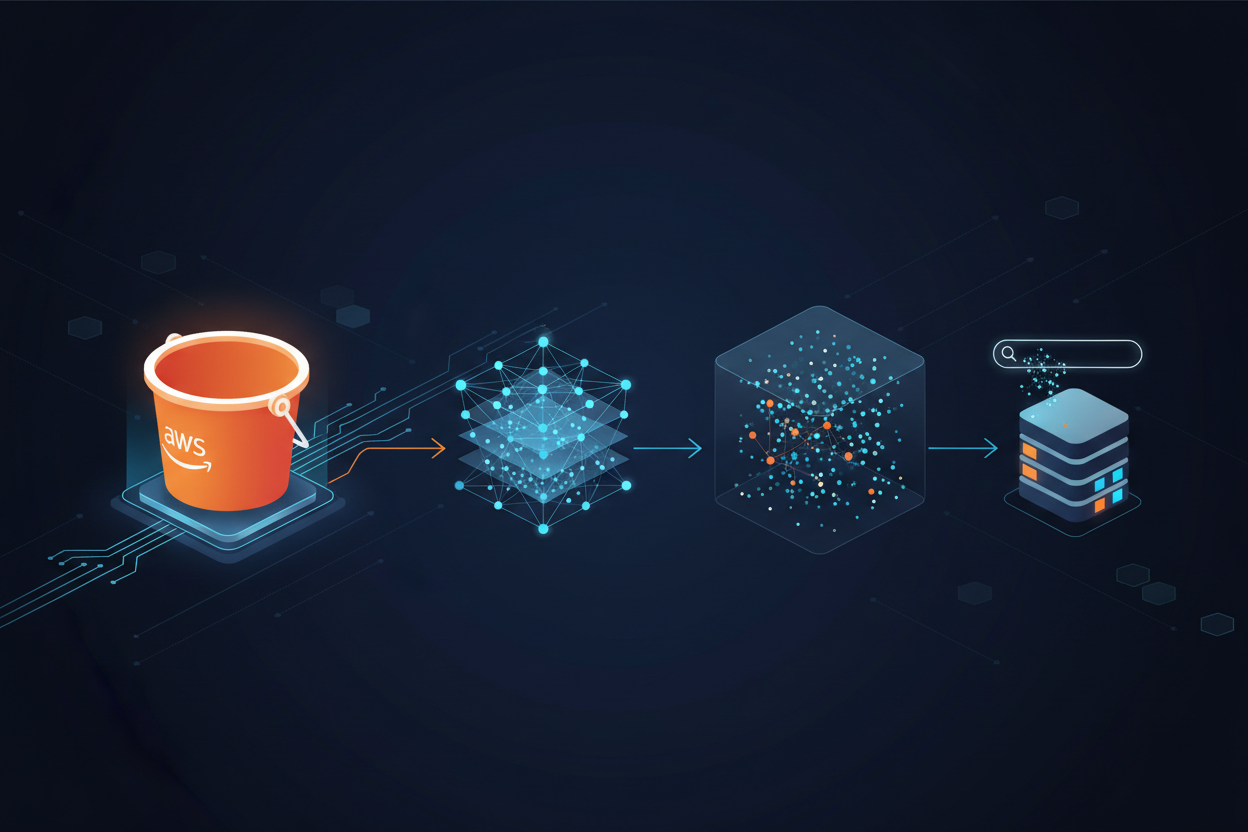
Amazon S3 Vectors is the first cloud object storage with native support for storing and querying vector data at scale. Announced at AWS re:Invent 2025 and now generally available, S3 Vectors reduces the total cost of uploading, storing, and querying vectors by up to 90% compared to traditional vector databases.
In this comprehensive guide, you’ll learn how to create vector buckets, store embeddings, and perform semantic searches using Python and the AWS SDK.
What is Amazon S3 Vectors?
Vector embeddings are numerical representations of content (text, images, audio, video, or code) that encode semantic meaning. Instead of exact keyword matching, vector similarity search finds items that are conceptually related based on mathematical distance comparisons.
S3 Vectors introduces a new bucket type specifically designed for vector data, offering:
- Massive Scale: Store up to 2 billion vectors per index, and up to 20 trillion vectors per bucket
- Sub-second Performance: Infrequent queries return in under one second, frequent queries in ~100ms
- 90% Cost Reduction: Pay-per-use model without infrastructure provisioning
- Strong Consistency: Vectors are immediately accessible after insertion
- Native Integration: Works with Amazon Bedrock, OpenSearch, and SageMaker
S3 Vectors Architecture
S3 Vectors consists of three main components:
- Vector Buckets: A new bucket type purpose-built for storing and querying vectors
- Vector Indexes: Organizational units within buckets that store vectors and support similarity queries
- Vectors: The actual embeddings with optional metadata for filtering
Prerequisites
Before you begin, ensure you have:
- An AWS account with appropriate IAM permissions
- Python 3.8+ installed
- AWS CLI configured with credentials
- Access to Amazon Bedrock (for generating embeddings)
Required IAM Permissions
Create an IAM policy with the following permissions:
{
    "Version": "2012-10-17",
    "Statement": [
        {
            "Effect": "Allow",
            "Action": [
                "s3vectors:CreateVectorBucket",
                "s3vectors:DeleteVectorBucket",
                "s3vectors:GetVectorBucket",
                "s3vectors:ListVectorBuckets",
                "s3vectors:CreateIndex",
                "s3vectors:DeleteIndex",
                "s3vectors:GetIndex",
                "s3vectors:ListIndexes",
                "s3vectors:PutVectors",
                "s3vectors:GetVectors",
                "s3vectors:DeleteVectors",
                "s3vectors:ListVectors",
                "s3vectors:QueryVectors"
            ],
            "Resource": "*"
        },
        {
            "Effect": "Allow",
            "Action": [
                "bedrock:InvokeModel"
            ],
            "Resource": "arn:aws:bedrock:*::foundation-model/amazon.titan-embed-text-v2:0"
        }
    ]
}
Install Required Packages
pip install boto3 --upgrade
Ensure you have boto3 version 1.35.0 or later for S3 Vectors support.
Step 1: Create a Vector Bucket
Vector buckets are purpose-built containers for vector data. Unlike regular S3 buckets, they provide dedicated APIs optimized for vector operations.
Using the AWS Console
- Open the Amazon S3 Console
- Choose Vector buckets in the left navigation
- Click Create vector bucket
- Enter a bucket name (3-63 characters, lowercase letters, numbers, hyphens only)
- Choose encryption type (SSE-S3 or SSE-KMS)
- Click Create vector bucket
Using Python (boto3)
import boto3

# Create S3 Vectors client
s3vectors = boto3.client("s3vectors", region_name="us-west-2")

# Create a vector bucket
response = s3vectors.create_vector_bucket(
    vectorBucketName="my-ai-embeddings",
    encryptionConfiguration={
        "sseType": "SSE_S3"  # or "SSE_KMS" for customer-managed keys
    }
)

print(f"Vector bucket created: {response['vectorBucketArn']}")
Important Notes:
- Vector bucket names must be unique within your AWS Region
- Names must be 3-63 characters, containing only lowercase letters, numbers, and hyphens
- Encryption settings cannot be changed after creation
- All Block Public Access settings are always enabled
Step 2: Create a Vector Index
A vector index is where you store and query your embeddings. When creating an index, you define the vector dimension and distance metric.
Understanding Distance Metrics
- Cosine: Measures angular similarity. Best for text embeddings and normalized vectors.
- Euclidean: Measures straight-line distance. Best for image embeddings and non-normalized data.
Using the AWS Console
- Navigate to your vector bucket
- Click Create vector index
- Enter index name (e.g.,
product-embeddings) - Set Dimension to match your embedding model (e.g., 1024 for Amazon Titan Text v2)
- Choose Distance metric (Cosine recommended for text)
- Optionally specify non-filterable metadata keys
- Click Create vector index
Using Python (boto3)
import boto3

s3vectors = boto3.client("s3vectors", region_name="us-west-2")

# Create a vector index
response = s3vectors.create_index(
    vectorBucketName="my-ai-embeddings",
    indexName="product-catalog",
    dimension=1024,  # Must match your embedding model's output
    distanceMetric="cosine"
)

print(f"Vector index created: {response['indexArn']}")
Configuration Parameters
| Parameter | Description | Constraints |
|---|---|---|
indexName |
Unique identifier for the index | 3-63 characters |
dimension |
Number of dimensions in each vector | 1-4096 |
distanceMetric |
Similarity measure | cosine or euclidean |
Important: Index parameters (dimension, distance metric) cannot be changed after creation.
Step 3: Generate and Store Vector Embeddings
Now let’s generate embeddings using Amazon Bedrock and store them in S3 Vectors.
Complete Python Example
import boto3
import json

# Initialize clients
bedrock = boto3.client("bedrock-runtime", region_name="us-west-2")
s3vectors = boto3.client("s3vectors", region_name="us-west-2")

# Configuration
VECTOR_BUCKET = "my-ai-embeddings"
INDEX_NAME = "product-catalog"
EMBEDDING_MODEL = "amazon.titan-embed-text-v2:0"

def generate_embedding(text: str) -> list:
    """Generate embedding using Amazon Titan Text Embeddings V2."""
    response = bedrock.invoke_model(
        modelId=EMBEDDING_MODEL,
        body=json.dumps({"inputText": text})
    )
    response_body = json.loads(response["body"].read())
    return response_body["embedding"]

def store_vectors(vectors_data: list):
    """Store multiple vectors with metadata."""
    vectors = []

    for item in vectors_data:
        embedding = generate_embedding(item["text"])
        vectors.append({
            "key": item["id"],
            "data": {"float32": embedding},
            "metadata": item.get("metadata", {})
        })

    response = s3vectors.put_vectors(
        vectorBucketName=VECTOR_BUCKET,
        indexName=INDEX_NAME,
        vectors=vectors
    )

    return response

# Sample product data
products = [
    {
        "id": "prod-001",
        "text": "Wireless noise-cancelling headphones with 30-hour battery life",
        "metadata": {
            "category": "electronics",
            "price": 299.99,
            "brand": "AudioPro"
        }
    },
    {
        "id": "prod-002",
        "text": "Organic cotton t-shirt with eco-friendly dyes",
        "metadata": {
            "category": "clothing",
            "price": 34.99,
            "brand": "EcoWear"
        }
    },
    {
        "id": "prod-003",
        "text": "Smart home thermostat with AI-powered energy optimization",
        "metadata": {
            "category": "electronics",
            "price": 199.99,
            "brand": "HomeSmart"
        }
    },
    {
        "id": "prod-004",
        "text": "Running shoes with advanced cushioning technology",
        "metadata": {
            "category": "footwear",
            "price": 149.99,
            "brand": "SpeedRun"
        }
    },
    {
        "id": "prod-005",
        "text": "Portable Bluetooth speaker waterproof for outdoor adventures",
        "metadata": {
            "category": "electronics",
            "price": 79.99,
            "brand": "AudioPro"
        }
    }
]

# Store the vectors
result = store_vectors(products)
print(f"Successfully stored {len(products)} vectors")
Best Practices for Storing Vectors
- Batch Operations: Insert vectors in batches for better throughput
- Consistent Dimensions: Ensure all vectors match the index dimension exactly
- Meaningful Keys: Use unique, descriptive keys for easy retrieval
- Strategic Metadata: Include metadata that you’ll filter on frequently
Step 4: Query Vectors for Similarity Search
Perform semantic searches to find similar items based on meaning rather than exact keywords.
Basic Similarity Search
import boto3
import json

bedrock = boto3.client("bedrock-runtime", region_name="us-west-2")
s3vectors = boto3.client("s3vectors", region_name="us-west-2")

VECTOR_BUCKET = "my-ai-embeddings"
INDEX_NAME = "product-catalog"

def search_similar(query_text: str, top_k: int = 5):
    """Search for similar vectors based on text query."""

    # Generate query embedding
    response = bedrock.invoke_model(
        modelId="amazon.titan-embed-text-v2:0",
        body=json.dumps({"inputText": query_text})
    )
    query_embedding = json.loads(response["body"].read())["embedding"]

    # Query for similar vectors
    results = s3vectors.query_vectors(
        vectorBucketName=VECTOR_BUCKET,
        indexName=INDEX_NAME,
        queryVector={"float32": query_embedding},
        topK=top_k,
        returnDistance=True,
        returnMetadata=True
    )

    return results["vectors"]

# Search for headphones
query = "I need something to listen to music while traveling"
results = search_similar(query, top_k=3)

print(f"Search results for: '{query}'\n")
for result in results:
    print(f"  Key: {result['key']}")
    print(f"  Distance: {result['distance']:.4f}")
    print(f"  Metadata: {result['metadata']}")
    print()
Query with Metadata Filtering
Filter results based on metadata attributes for more precise searches:
def search_with_filter(query_text: str, category: str = None, max_price: float = None, top_k: int = 5):
    """Search with metadata filters."""

    # Generate query embedding
    response = bedrock.invoke_model(
        modelId="amazon.titan-embed-text-v2:0",
        body=json.dumps({"inputText": query_text})
    )
    query_embedding = json.loads(response["body"].read())["embedding"]

    # Build filter conditions
    filter_conditions = {}
    if category:
        filter_conditions["category"] = category

    # Query with filters
    query_params = {
        "vectorBucketName": VECTOR_BUCKET,
        "indexName": INDEX_NAME,
        "queryVector": {"float32": query_embedding},
        "topK": top_k,
        "returnDistance": True,
        "returnMetadata": True
    }

    if filter_conditions:
        query_params["filter"] = filter_conditions

    results = s3vectors.query_vectors(**query_params)

    return results["vectors"]

# Search for electronics only
results = search_with_filter(
    "wireless audio device",
    category="electronics",
    top_k=3
)

print("Electronics matching 'wireless audio device':")
for result in results:
    print(f"  {result['key']}: {result['metadata']}")
Step 5: Building a RAG Application
Retrieval-Augmented Generation (RAG) combines vector search with large language models for intelligent question answering.
Complete RAG Example
import boto3
import json

class S3VectorsRAG:
    def __init__(self, bucket_name: str, index_name: str, region: str = "us-west-2"):
        self.bucket_name = bucket_name
        self.index_name = index_name
        self.bedrock = boto3.client("bedrock-runtime", region_name=region)
        self.s3vectors = boto3.client("s3vectors", region_name=region)
        self.embedding_model = "amazon.titan-embed-text-v2:0"
        self.llm_model = "anthropic.claude-3-sonnet-20240229-v1:0"

    def get_embedding(self, text: str) -> list:
        """Generate embedding for text."""
        response = self.bedrock.invoke_model(
            modelId=self.embedding_model,
            body=json.dumps({"inputText": text})
        )
        return json.loads(response["body"].read())["embedding"]

    def retrieve_context(self, query: str, top_k: int = 3) -> list:
        """Retrieve relevant documents."""
        query_embedding = self.get_embedding(query)

        results = self.s3vectors.query_vectors(
            vectorBucketName=self.bucket_name,
            indexName=self.index_name,
            queryVector={"float32": query_embedding},
            topK=top_k,
            returnMetadata=True
        )

        return results["vectors"]

    def generate_answer(self, query: str, context: list) -> str:
        """Generate answer using retrieved context."""
        # Format context for the prompt
        context_text = "\n".join([
            f"- {item['metadata'].get('source_text', item['key'])}"
            for item in context
        ])

        prompt = f"""Based on the following context, answer the question.

Context:
{context_text}

Question: {query}

Answer:"""

        response = self.bedrock.invoke_model(
            modelId=self.llm_model,
            body=json.dumps({
                "anthropic_version": "bedrock-2023-05-31",
                "max_tokens": 500,
                "messages": [{"role": "user", "content": prompt}]
            })
        )

        response_body = json.loads(response["body"].read())
        return response_body["content"][0]["text"]

    def ask(self, question: str) -> str:
        """End-to-end RAG query."""
        # Retrieve relevant context
        context = self.retrieve_context(question)

        # Generate answer
        answer = self.generate_answer(question, context)

        return answer

# Usage
rag = S3VectorsRAG(
    bucket_name="my-ai-embeddings",
    index_name="knowledge-base"
)

question = "What are the best options for listening to music while traveling?"
answer = rag.ask(question)
print(f"Q: {question}")
print(f"A: {answer}")
Integration with AWS Services
Amazon Bedrock Knowledge Bases
S3 Vectors integrates natively with Amazon Bedrock Knowledge Bases for fully managed RAG:
- Open the Amazon Bedrock console
- Navigate to Knowledge bases
- Click Create knowledge base
- Select S3 Vectors as the vector store
- Configure your data sources and embedding model
- Bedrock handles chunking, embedding, and storage automatically
Amazon OpenSearch Service
Export vectors to OpenSearch Serverless for advanced search capabilities:
# S3 Vectors can serve as cost-effective storage
# while OpenSearch provides advanced query features
s3vectors.export_to_opensearch(
    vectorBucketName="my-ai-embeddings",
    indexName="product-catalog",
    opensearchEndpoint="https://your-opensearch-domain.region.es.amazonaws.com"
)
Performance and Cost Optimization
Query Performance
| Query Type | Latency |
|---|---|
| Infrequent (cold) | < 1 second |
| Frequent (warm) | ~100ms |
Cost Optimization Tips
- Right-size Dimensions: Use the smallest dimension that maintains accuracy
- Batch Operations: Group insertions and deletions for efficiency
- Metadata Strategy: Only store metadata you’ll filter on
- Index Management: Delete unused indexes to reduce storage costs
Limits and Quotas
| Resource | Limit |
|---|---|
| Vectors per index | 2 billion |
| Indexes per bucket | 10,000 |
| Total vectors per bucket | 20 trillion |
| Vector dimensions | 1-4096 |
| Metadata size per vector | 40 KB |
Cleaning Up Resources
To avoid ongoing charges, delete resources when no longer needed:
import boto3

s3vectors = boto3.client("s3vectors", region_name="us-west-2")

# Delete all vectors from an index (optional)
# Note: This may take time for large indexes

# Delete the vector index
s3vectors.delete_index(
    vectorBucketName="my-ai-embeddings",
    indexName="product-catalog"
)

# Delete the vector bucket (must be empty)
s3vectors.delete_vector_bucket(
    vectorBucketName="my-ai-embeddings"
)

print("Resources deleted successfully")
Conclusion
Amazon S3 Vectors provides a cost-effective, scalable solution for storing and querying vector embeddings. With support for billions of vectors, sub-second query latency, and up to 90% cost reduction compared to traditional vector databases, it’s an excellent choice for:
- RAG applications requiring large context windows
- Semantic search across product catalogs
- AI agents needing persistent memory
- Large-scale similarity matching
Key Takeaways
- S3 Vectors is the first cloud storage with native vector support
- Create vector buckets and indexes to organize your embeddings
- Use Amazon Bedrock for generating high-quality embeddings
- Filter queries with metadata for precise results
- Integrate with Bedrock Knowledge Bases for managed RAG
Next Steps
- Explore the AWS S3 Vectors Documentation
- Try the S3 Vectors Embed CLI for automated workflows
- Build a knowledge base with Amazon Bedrock